Rack the phone.The set still counts.
A strength log and interval timer for iPhone and Apple Watch. The watch runs a whole session on its own, so the phone can sit in a locker and the set still gets recorded. Nothing you lift ever leaves your devices.
Beta opens soon
What stays free forever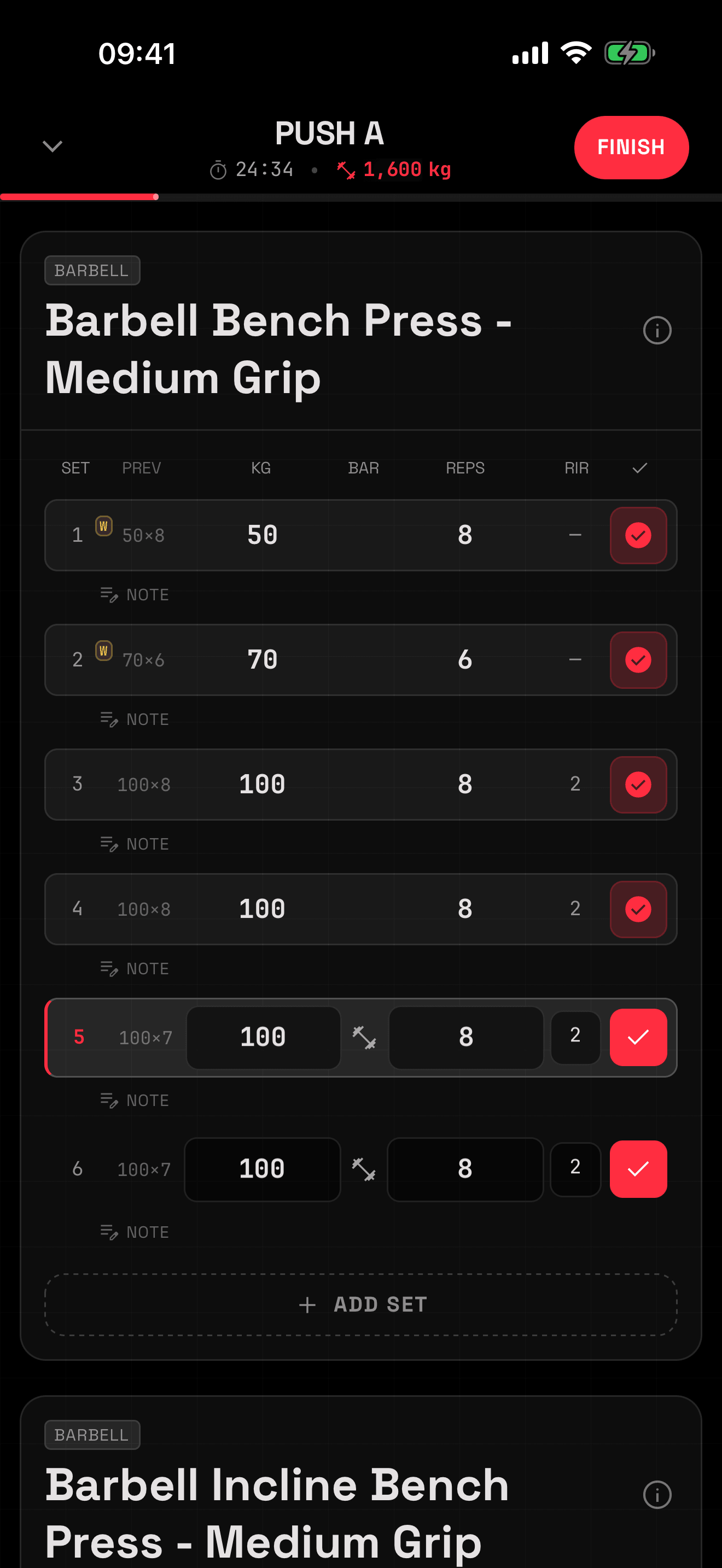
- 01PREV — last session’s numbers, tap to fill
- 02W — warmups, excluded from PR math
- 03RIR — reps in reserve, logged per set
- 04Session volume, live — 1,600 kg
iOS 16.4+watchOS 10+0 accounts0 trackers1,784 exercises2,419 automated tests
Two taps a set, and it survives a force quit.
Weight, reps, RIR. Last session’s numbers sit in the PREV column, one tap from filled in. Every tap writes straight to disk. Force-quit mid-session and you reopen exactly where you were.
- 01
- Supersets interleave in the real order (A1, A2, A1) with a bracket drawn down the side.
- 02
- Warmups get a W and stay out of your PR and volume math. Bodyweight sets log as BW.
- 03
- Plate calculator:what to load per side, for whichever bar you’re on. It’s free. Charging for arithmetic would be embarrassing.
- 04
- Rest timer with a ring countdown, −15 / +15, skip. It’ll notify you if the phone’s in your pocket.
The phone can stay in the locker.
Most watch apps are a remote control for a phone doing the real work. Then the sync drops mid-set and the reps are gone. QRep’s watch app runs the session itself, against its own copy of the plan, and reconciles when the phone is back in range. There’s no round trip to lose.
- 01
- Standalone sessions against an offline copy of your plan, with a journal that syncs back once the phone is near.
- 02
- Join in either direction mid-workout, with rest synced both ways.
- 03
- Live heart rate with Z1–Z5 zones, always-on display, and the workout saved to Apple Health.
A whole program fits in a square.
Publish a plan and it becomes a qrep.app link and a QR code. Your training partner points a camera at your screen, sees what’s in the plan before installing anything, and imports it into their own library. Theirs to edit. No account on either end.
Hevy grew on program sharing too, but you have to join a social network to use it. This works with nobody else on the app at all. A feed needs a crowd. A square needs two people and a gym.
- 01PublishA snapshot of the plan: sessions, prescriptions, supersets. Nothing about you.
- 02ScanTheir camera, or the scanner built into QRep. A link works the same way.
- 03Previewqrep.app renders the plan before anyone installs anything.
- 04ImportIt lands in their library as their own plan, free to edit and share onward.
 Point a camera at this. qrep.app/go/beta This QR code links to the QRep beta at qrep.app slash go slash beta.
Programs the way lifters actually write them.
A plan is your training days, each with a named session, each session a list of prescriptions: sets × rep range, RIR target, rest, equipment, superset letters. Phases carry week ranges, so a block reads Wk 3/8 instead of nothing.
If none of that meant anything to you, the wizard handles it. Pick a template or start blank, choose which days you train, fill them in one at a time. You won’t meet the word mesocycle before your first workout.
- 01
- Four starting templates (Beginner Hypertrophy, Minimalist 2-Day, Upper/Lower, Push/Pull/Legs) or a blank sheet.
- 02
- Copy one day onto another, drag to reorder, group supersets, rename in place.
- 03
- Starting a workout snapshotsthe prescriptions, so editing the plan next month can’t rewrite what you already did.
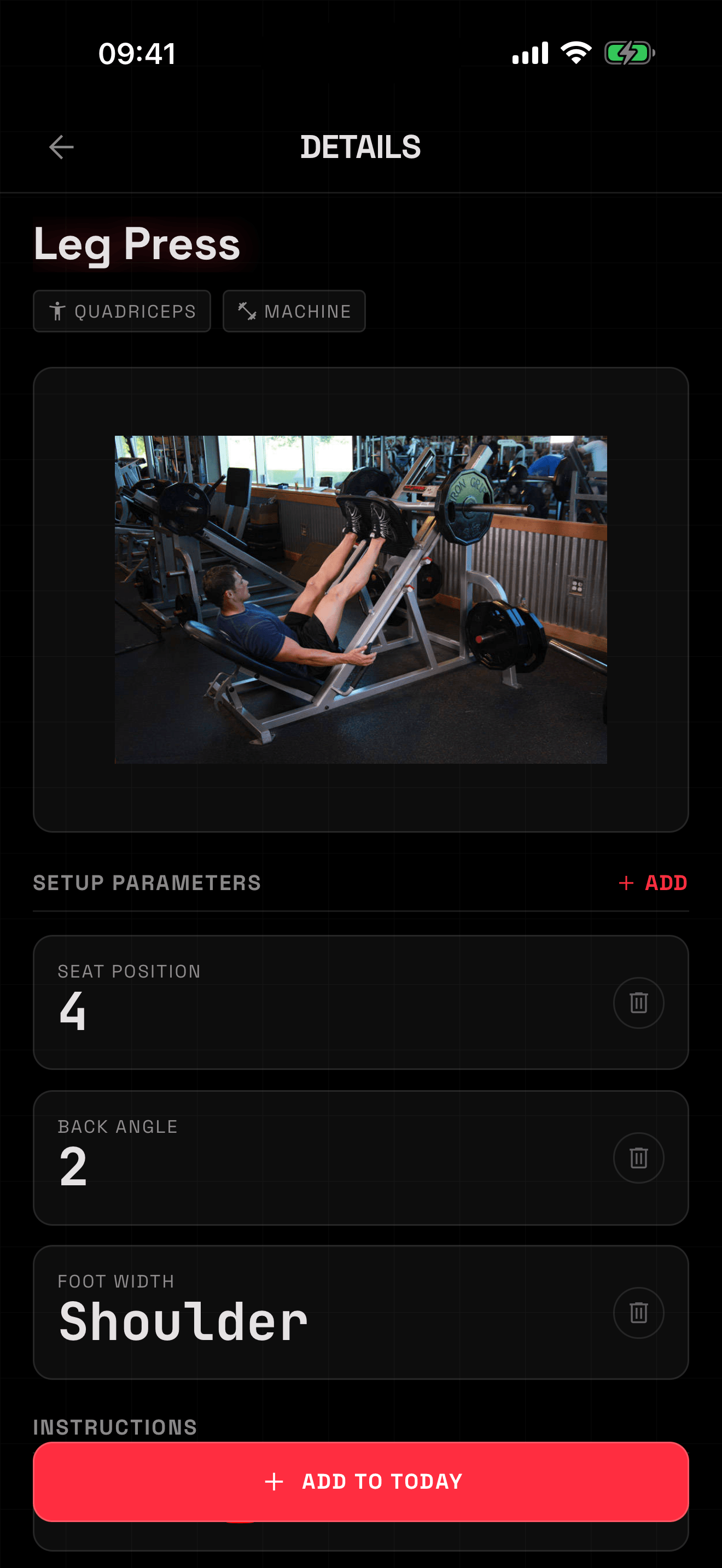
The hole you put the pin in, remembered.
Seat position, back angle, rack hole, foot width. Whatever that machine makes you re-guess every week, you write down once and it’s waiting there next time. It’s the smallest thing in the app and the first thing you’ll miss somewhere else.
That sits under a library of 1,784 exercises with muscle and equipment tags and per-exercise history with an estimated 1RM. 873 of those are public-domain entries that also carry photos and form cues. Add your own if something’s missing.
It’s also a proper interval timer.
Typed WORK and REST blocks in mm:ss, loops with round counts, a full-screen ring countdown, and a rail showing what’s coming next. It runs on the wrist too.
Every step is pre-scheduled as a notification and recomputed against the wall clock when you come back, so a locked phone doesn’t cost you a round. Serious lifting logs don’t have this. Timer apps don’t log sets.
Gold is reserved for records.
Volume trends with PR markers in gold, estimated-1RM curves per exercise, a records feed, average RIR, muscle balance, lifetime tonnage. Finishing a workout checks for four kinds of record: max weight, rep maxes, best estimated 1RM, best set volume.
The month journal is free and stays free. That’s the calendar heatmap plus every workout you’ve ever logged. The four analytics segments are the paid half.
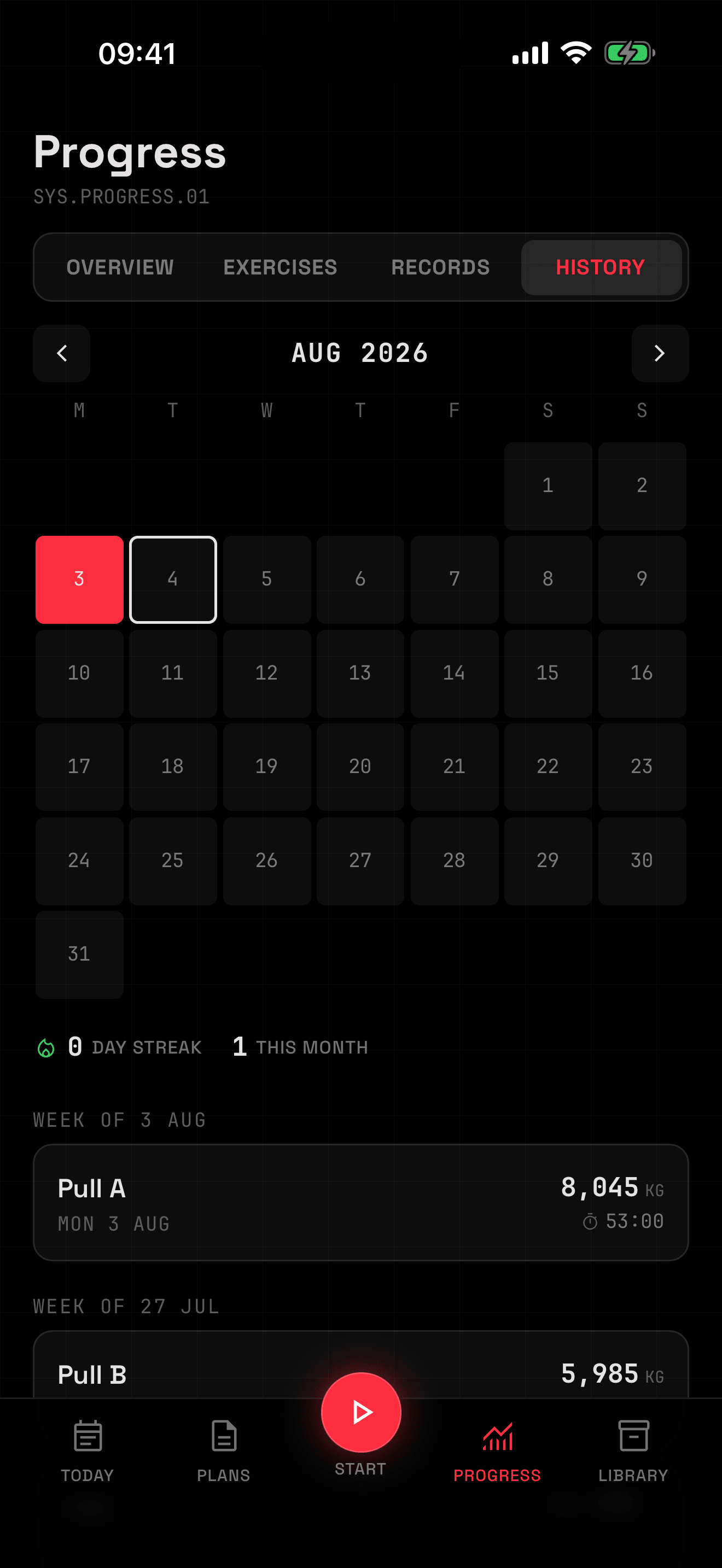
Unlimited logging, your full history, machine memory, and export. Never locked. Never ads.
What each half costs.
| Capability | Free | Premium |
|---|---|---|
| Logging, history, PR detection | All of it | Included |
| Exercise library, custom exercises, machine memory | All of it | Included |
| Plate calculator, JSON + CSV export | All of it | Included |
| Live Activities, Dynamic Island, Apple Health | All of it | Included |
| Active programs | 1 | Unlimited |
| Custom interval timers | 2 | Unlimited |
| Apple Watch app | — | Full |
| Progress analytics | History | All four |
| Live share links | 5 | 25 |
Prices are the launch configuration in US dollars; other storefronts convert. The 14-day trial applies to the annual plan, which then renews at $29.99 unless you cancel at least 24 hours before it ends. The watch app is premium, which is exactly why there’s a trial: find out whether the wrist is worth it to you before you pay for it.
It isn’t on the App Store yet.
Version 1.0.0, build 1. About 2,419 automated tests and zero users. The beta is a small group of lifters who train with an Apple Watch on and will actually tell me when something breaks on the wrist. If that’s you, come in early.
Beta opens soon